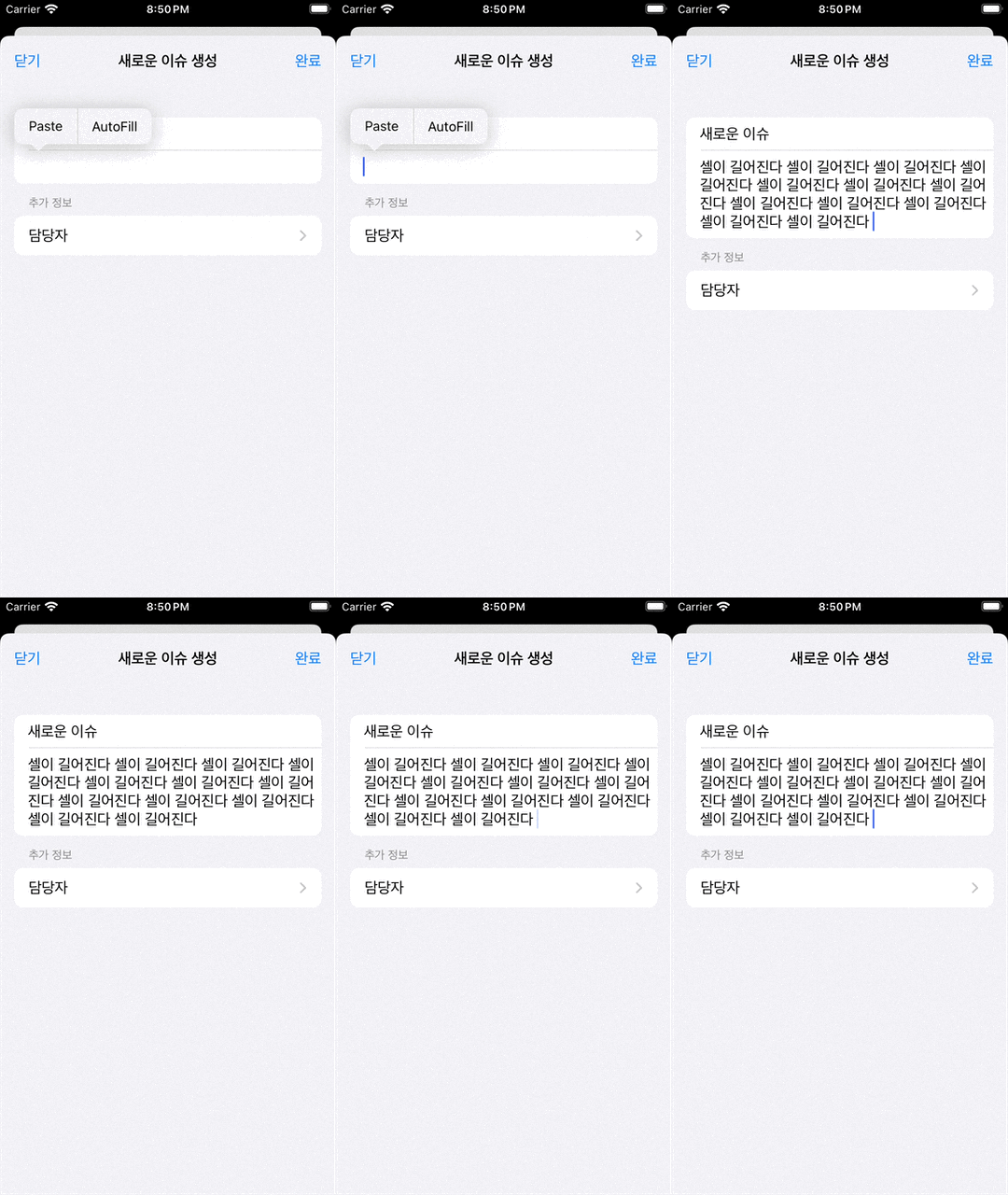
UITableViewCell 안에 UITextView를 넣고, 입력되는 텍스트 길이에 따라 셀의 높이가 자동으로 늘어나도록 처리했다.
처음에는 그냥 UITextView를 셀에 넣으면 알아서 늘어날 줄 알았는데, UITextView 자체의 스크롤과 UITableView의 셀 높이 계산이 같이 걸려 있어서 생각보다 손이 조금 간다ㅏ.
핵심은 UITextView의 스크롤을 끄고, 텍스트가 변경될 때 UITableView에 높이를 다시 계산하라고 알려주는 것이다.
구현 순서
1. UITextView에서 다음 속성들 체크 해제
Show Horizontal Indicator: 텍스트가 가로 크기를 초과한 경우, 가로 스크롤 바 표시Show Vertical Indicator: 텍스트가 세로 크기를 초과한 경우, 세로 스크롤 바 표시Scrolling Enabled: 스크롤 가능 여부 설정Bounce on Scroll: 스크롤이 끝에 도달했을 때, 가볍게 튕기는 애니메이션 설정
2. Nib 등록
tableView.register(
    UINib(nibName: "GrowingCell", bundle: nil),
    forCellReuseIdentifier: "GrowingCell"
)
3. 데이터 소스 추가
extension ViewController: UITableViewDataSource {
    func tableView(_ tableView: UITableView, numberOfRowsInSection section: Int) -> Int {
        return items.count
    }
    func tableView(_ tableView: UITableView, cellForRowAt indexPath: IndexPath) -> UITableViewCell {
        guard let cell = tableView.dequeueReusableCell(
            withIdentifier: "GrowingCell",
            for: indexPath
        ) as? GrowingCell else {
            return UITableViewCell()
        }
        cell.textView.text = items[indexPath.row]
        cell.delegate = self
        return cell
    }
}
4. 델리게이트 작성
protocol GrowingCellProtocol: class {
    func updateHeightOfRow(_ cell: GrowingCell, _ textView: UITextView)
}
5. 뷰 컨트롤러가 델리게이트 채택하고 구현
extension ViewController: GrowingCellProtocol {
    func updateHeightOfRow(_ cell: GrowingCell, _ textView: UITextView) {
        let size = textView.bounds.size
        let newSize = tableView.sizeThatFits(
            CGSize(
                width: size.width,
                height: CGFloat.greatestFiniteMagnitude
            )
        )
        if size.height != newSize.height {
            UIView.setAnimationsEnabled(false)
            tableView?.beginUpdates()
            tableView?.endUpdates()
            UIView.setAnimationsEnabled(true)
            if let thisIndexPath = tableView.indexPath(for: cell) {
                tableView.scrollToRow(at: thisIndexPath, at: .bottom, animated: false)
            }
        }
    }
}
추가. 공식 문서에서는
beginUpdates()보다performBatchUpdates(_:completion:)의 사용을 권장하고 있음.
원리
UITextView는 기본적으로 자신의 내부에서 스크롤을 처리한다. 따라서 텍스트가 길어져도 UITextView의 크기가 커지는 것이 아니라, 내부만 스크롤된다.
그래서 먼저 isScrollEnabled를 끄면 UITextView가 자신의 콘텐츠 크기에 맞춰 높이를 가지게 된다.
이미 계산이 끝난 셀의 높이를 계속 사용하기 때문에 이것만으로는 UITableView가 셀의 높이를 다시 계산하지 않는다.
그래서 텍스트가 변경될 때마다 beginUpdates()와 endUpdates()를 호출해 UITableView에게 셀의 높이를 다시 계산하라고 알려준다.
이 과정에서 Auto Layout이 다시 적용되고, UITextView의 새로운 높이에 맞춰 UITableViewCell의 높이도 함께 변경된다.
실제 적용 화면